
Fix My Speaker Water: How to Remove Water from a Speaker Easily
Water damage is a common reason why speakers stop working properly. Even a little water can make the sound low, unclear, or completely silent. This usually happens due to rain, accidental drops in water, spills, or even sweat. Many users face this problem daily and search for ways to fix it quickly.
In this guide, you will learn how to remove water from a speaker safely, simple methods that work fast, and when you should get professional help.
To instantly access the sound frequency tools designed to clear your device’s audio, start by visiting the main Fix My Speaker Sound platform.
What Happens When Water Gets Into Your Speaker
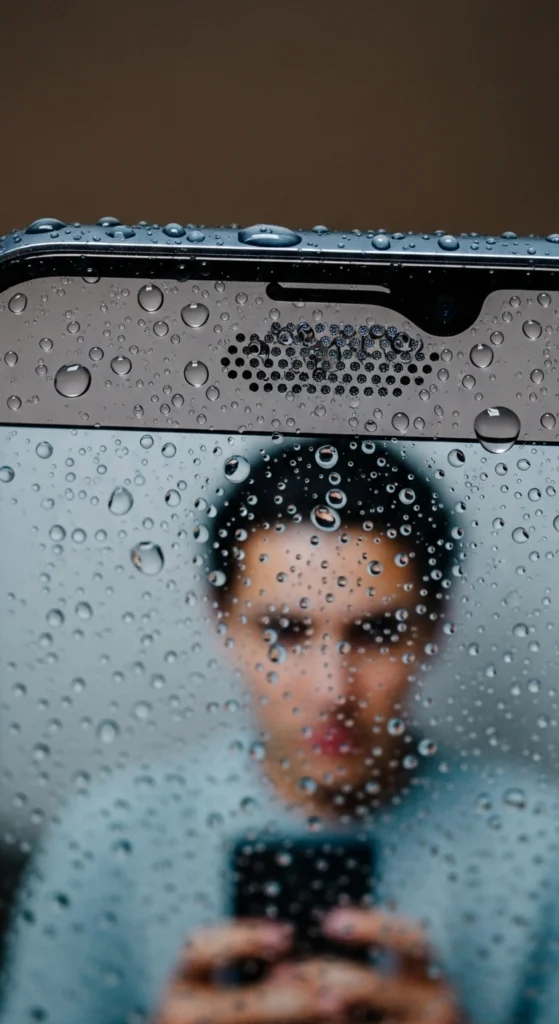
When water enters your speaker, it blocks the small holes and stops sound from coming out clearly. Speakers work by creating vibrations, but water makes these vibrations weak and uneven, so the sound becomes low or unclear.
Inside the speaker, there is a thin part called a diaphragm. When water touches this part, it cannot move properly. This leads to muffled sound, low volume, or distorted audio.
Water can also get stuck inside the speaker and take time to dry. If it stays there too long, it can damage internal parts and affect sound quality.
Short-term damage:
- Muffled or unclear sound
- Low volume
- Slight distortion
Long-term damage:
- Permanent hardware damage
- No sound at all
- Internal parts may stop working
That’s why it is important to remove water quickly to fix speaker sound issues and avoid serious damage. If your audio issues are caused by dry debris rather than moisture, check out our guide on how to clean speaker dust using specific acoustic frequencies.
Signs Your Speaker Has Water Damage
You can easily tell if water has entered your speaker by noticing these common signs. These problems usually appear soon after your phone gets wet and clearly indicate speaker water damage.
- Muffled or low sound (common speaker sound issue)
- Distorted, crackling, or buzzing audio
- Volume suddenly drops without reason
- Sound cutting in and out (unstable audio problem)
- Completely no sound (speaker not working issue)
You may also notice that the sound is unclear during calls or while playing music. It can feel like something is blocking the speaker, which often means there is water inside the speaker affecting performance.
Which Sign Is Most Serious?
If your speaker has no sound at all, it is the most serious sign of speaker water damage. This usually means there may be internal speaker damage or a hardware issue, and you should take quick action or get professional help.
If the sound is only low, muffled, or unclear, it is usually a temporary water blockage issue in the speaker. In most cases, this can be fixed easily using simple drying methods or a speaker cleaner tool without needing repair.
How to Remove Water from a Speaker: Quick Methods
If your device gets wet, don’t panic. There are several simple ways to remove water from your speaker and restore sound. These quick methods can help fix speaker water damage, reduce muffled sound, and improve audio clarity.
Use Sound/Vibration Method (Most Popular Fix)
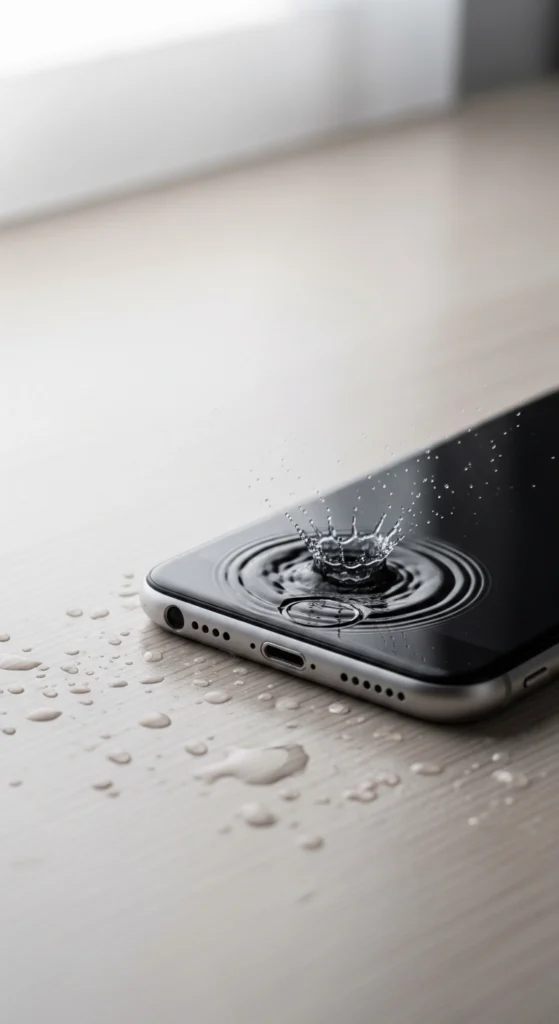
This is one of the fastest and most effective ways to fix water inside speaker problems. It works by using sound vibrations that push trapped water out of the speaker grill.
Open a trusted tool like Fix My Speakers or Sonic and play the vibration sound. Keep your device facing downward so gravity helps water move out. Let the sound run for 30–60 seconds and repeat 2–3 times if needed. This method is very useful to fix muffled speaker sound, low volume issues, and speaker water blockage problems quickly without opening the device.
Face the Device Downward
This simple method uses gravity to help remove water naturally from the speaker area. Keep your device facing downward so water can slowly drip out of the speaker openings. You can also slightly tilt the device for better drainage. Leave it like this for a few minutes to allow trapped water to escape. This method works best when combined with other speaker cleaning techniques to improve results.
Let It Air Dry Naturally
Air drying is a safe and important step to remove leftover moisture from your device.
Place your phone in a cool, dry, and well-ventilated area. Avoid sunlight or heat sources because they can damage internal parts. Leave the device for several hours so all moisture can dry out naturally. This helps prevent long-term speaker sound issues caused by hidden water inside the device.
Wipe the Outer Speaker Grill
Cleaning the outer speaker area helps remove visible water and dirt blocking sound. Use a soft, dry cloth and gently wipe the speaker grill. Do not apply pressure, as it can damage small speaker holes. Make sure all visible water or dust is cleaned properly.
This simple step helps improve speaker sound clarity and supports the overall water removal process.
Use Silica Gel Packets
Silica gel is one of the best ways to absorb moisture from inside the device and fix water-damaged speaker issues.
Place your device in a closed box with silica gel packets. Leave it for 12 to 24 hours so it can absorb all trapped moisture. Do not turn on or charge the device during this time. This method works better than rice and helps protect your device from permanent speaker water damage.
Step-by-Step Guide to Fix Water in Speaker
If your speaker has water inside, don’t worry. Follow these simple steps carefully to fix speaker water damage and restore normal sound. This guide uses easy methods that anyone can try at home.
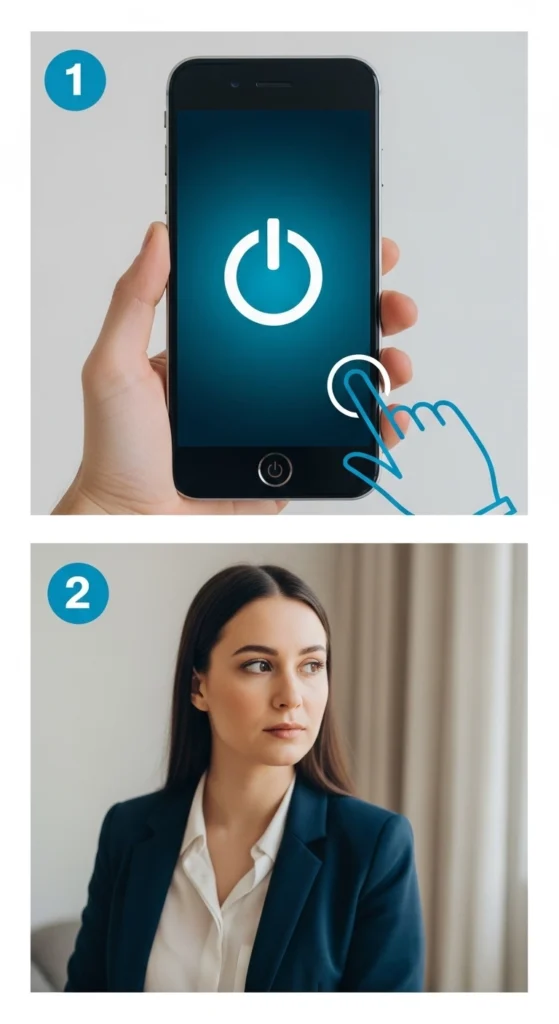
Step 1: Power Off the Device Immediately
Turn off your device right away to avoid short circuits and further damage. This is very important for protecting your speaker and internal parts.
Step 2:Remove Case, SIM Tray & Accessories
Remove your phone case, SIM tray, and any attached accessories. This helps air flow better and allows the device to dry faster, reducing water inside the speaker.
Turn off your device right away to avoid short circuits and further damage. This is very important for protecting your speaker and internal parts.
Step 3: Run a Speaker Cleaner / Water Eject Tool
Use a speaker cleaning tool to push water out using sound vibrations.
You can try:
- Fix My Speakers (simple and fast)
- Sonic app (adjustable sound frequency)
- Online speaker cleaner tools
These tools help remove trapped water and improve muffled speaker sound and low-volume issues.
Step 4:Dry the Device Safely
Proper drying is very important for full recovery.
- Place your device in a dry, open area
- Use silica gel packets if available
- Keep the device facing downward
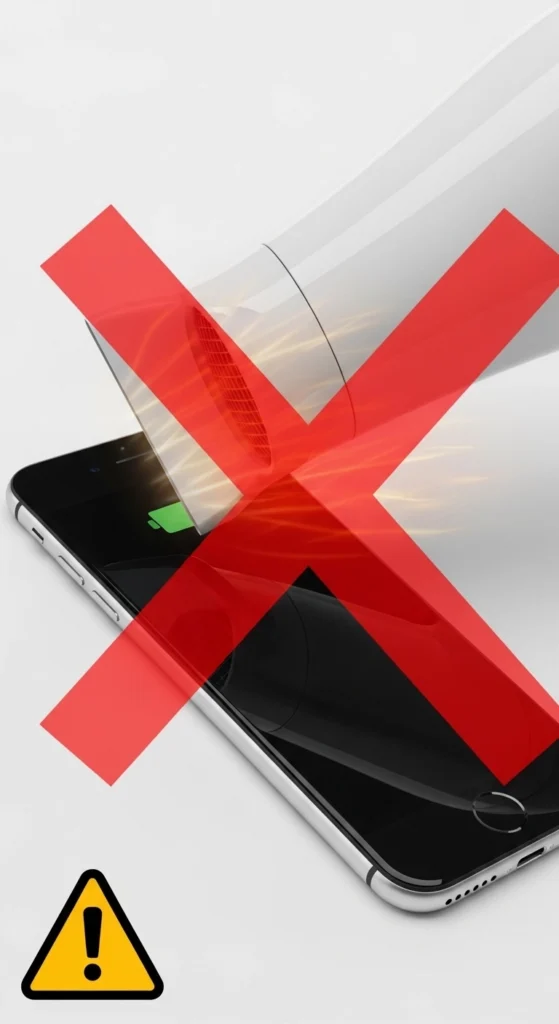
- Avoid using hair dryers or heat sources
This helps remove hidden moisture and prevents long-term speaker damage.
Step 5:Wait Before Powering On
Do not turn on your device immediately.
- Light water exposure: wait 6 to 12 hours
- Heavy water exposure: wait 24 to 48 hours
Waiting helps ensure all moisture is gone and reduces the risk of speaker not working issues.
Step 6: Test Speaker with Different Audio Types
After drying, check if your speaker is working properly.
- Play music at low and high volumes
- Test phone calls
- Watch videos with sound
This helps confirm whether the speaker’s sound problem is fully fixed or still needs attention.
Once your hardware is clear of obstructions, learn how to increase my speaker volume to get the most out of your restored audio.
What NOT to Do After Water Gets in the Speaker
When water enters your device, many people make mistakes that can cause more damage to the speaker’s water damage problem. To protect your phone and avoid permanent issues, avoid these actions.
Never Use a Hair Dryer or Heat Source
Using heat can damage internal parts of the phone and make the speaker damage worse. High temperatures can also push water deeper inside instead of removing it.
Never Poke Objects Into the Speaker Grille
Do not insert pins, needles, or any sharp objects into the speaker. This can permanently damage the speaker mesh and create serious speaker not working issues.
Do Not Plug In or Charge the Device
Charging a wet device is very dangerous. It can cause short circuits and lead to permanent internal speaker and hardware damage.
Avoid Violent Shaking
Shaking the device may seem helpful, but it actually pushes water deeper inside. This makes the water inside the speaker problems worse instead of fixing them.
Don’t Use Rice
Rice is a common myth, but it is not effective. It does not properly remove moisture and can leave dust particles inside the speaker, causing more speaker sound issues later.
If only half of your stereo setup is producing sound after a splash, troubleshoot the issue with our my speaker one side not working repair guide.
How Long Does It Take to Remove Water from a Speaker?
The time needed to fix speaker water damage depends on how much water entered the device and how quickly you act.
- Quick fix (sound vibration method): a few minutes
- Full drying process: 24–48 hours
If your speaker’s sound problem does not improve after drying, it may need additional cleaning or professional repair.
Time Guide:
- Light splash: 2–6 hours
- Medium exposure: 12–24 hours
- Heavy water damage: 24–48 hours
Signs of Permanent Speaker Water Damage
If you have tried all the drying methods and your speaker is still not working properly, the damage may have gone deeper than the surface. It is important to recognize the signs of permanent speaker water damage early so you can decide whether to repair or replace your device before things get worse.
Crackling Sound That Does Not Go Away
One of the most common signs is a crackling or buzzing sound that stays even after the speaker is fully dry. This happens because water leaves behind mineral deposits on the speaker membrane, which prevents it from vibrating smoothly. If you hear this kind of distorted sound even after 24 to 48 hours of drying, it is a strong warning sign that something inside has been permanently affected.
No Sound Coming From the Speaker at All
Another serious sign is complete loss of sound. If your speaker was working before the water damage and now produces no sound at all even at full volume the internal components may have been damaged or corroded beyond basic recovery. This is very different from muffled sound, which is usually temporary. No sound at all almost always points to deeper hardware level damage that home fixes cannot solve.
Sound Keeps Cutting In and Out
You may also notice sound that keeps stopping and starting randomly. This is caused by damaged or loose internal connections. Water weakens the soldering points and tiny wires inside the speaker unit, so the audio signal keeps breaking. This is not something that air drying can fix, and it often gets worse over time if it is ignored.
Rust and Corrosion Inside the Device
The most severe case is internal corrosion. When water sits inside a device for too long, it reacts with the metal parts and causes rust and oxidation. You cannot see this with your naked eye, but signs include a greenish or brownish residue near ports, a metallic smell, or a faint burning odor when you power on the device. Internal corrosion spreads quickly and can damage not just the speaker but other parts of your device as well.
If your media plays fine but your earpiece is silent, read our article on fixing a my speaker not working during calls error.
Should You Repair or Replace Your Speaker?
This is a question many people ask after water damage, and the honest answer depends on how bad the damage is.
Small Problem Repair Is the Better Choice
If the issue is minor, like slight crackling or low volume that started after a small water splash, then repair is the smarter choice. A technician can clean the speaker grille, replace the speaker membrane, or fix loose connections at a relatively low cost. Most small repairs cost far less than buying a new device.
Serious Damage Replacement Makes More Sense
However, if your device shows signs of severe internal water damage, such as complete silence, internal corrosion, a burning smell, or multiple components failing at the same time, then replacement is the more practical option. Repairing heavily corroded internal parts is expensive, time-consuming, and often unreliable. In many cases, the repair cost can come close to or even exceed the price of a new device.
A good rule of thumb: if the repair cost is more than 50% of the device’s current value, replacement is almost always the better decision.
When to Take Your Device to a Repair Technician
Sometimes, home fixes are simply not enough. If you have tried the sound vibration method, let the device dry for 48 hours, use silica gel packets, and still have no improvement, it is time to stop experimenting and visit a professional speaker repair technician. Continuing to try random fixes at this point can make things worse and reduce the chances of a successful repair.
No Improvement After 48 Hours of Drying
One of the clearest signs that you need professional help is when nothing changes after 48 hours. For most water damage cases, 48 hours of proper drying is enough to restore at least partial function. If the speaker is still completely silent or heavily distorted after this time, the problem is internal and requires specialized tools to diagnose and fix properly.
You Smell Something Burning
Another urgent sign is a burning smell or unusual heat coming from the device. This means water has already caused a short circuit or is actively corroding the internal circuit board. Do not ignore this. Power off your device immediately and take it to a technician the same day if possible. Using a device with active internal corrosion can lead to permanent damage or even become a safety risk.
You Can See Rust or Corrosion Around the Ports
You should also seek professional help if you notice visible corrosion near the charging port, speaker grille, or SIM tray. That greenish or rust-like buildup is a sign that water has been sitting inside longer than you think. A technician has the proper cleaning agents and micro tools to remove corrosion safely without causing further damage to your device.
How to Protect Your Speaker from Water Damage
The best way to deal with speaker water damage is to make sure it never happens in the first place. Prevention is always easier, cheaper, and less stressful than trying to fix a damaged device. Here are the most effective ways to protect your speaker from water damage and keep it in perfect condition for years.
Use a Waterproof Case Every Day: Always use a waterproof or water-resistant case that fully covers your device, including the speaker grille area, and make sure it fits your exact model for a proper tight seal.
Check Your Phone’s IP Rating Before You Trust It Near Water: Check your device’s IP67 or IP68 rating before exposing it to water, but remember that IP ratings are tested in labs, and real-life protection can be weaker, especially in older devices.
Keep Your Device Away From Water and Humid Places: Avoid using your phone near pools, sinks, or in rain, and never place it on wet surfaces because even indirect humidity can slowly damage your speaker over time.
Clean Your Speaker Grille Regularly: Use a soft dry brush or toothbrush to gently clean your speaker grille every few weeks to stop dust and moisture from building up inside and affecting sound quality.
If your device seems perfectly fine but your music app is quiet, you might need to adjust software settings to fix a Spotify sound too low issue.
Conclusion
Water in the speaker can cause low sound, muffled audio, or even no sound at all. The good news is that most cases can be fixed easily using simple methods like sound vibration tools, proper drying, and safe cleaning techniques.
The key is to act quickly and avoid mistakes like using heat or charging the device. If the problem is serious or does not improve after 24 to 48 hours, professional repair is the best option.
By following the steps in this guide, you can safely fix speaker water damage and restore clear sound without causing further harm to your device.
For larger devices that have taken a spill, read our specific diagnostic steps for a laptop speakers sound muffled or low error.
Frequently Asked Questions
Can water permanently damage a speaker?
Yes, if not treated quickly, it can cause permanent damage.
How do I get water out of my phone speaker fast?
Use a sound vibration tool and keep the device facing downward.
Does rice actually fix a water-damaged speaker?
No, rice is not reliable and may cause more dust problems.
Can I use sound to remove water from a speaker?
Yes, sound vibration is one of the best methods.
Is it safe to charge my phone after water damage?
No, wait until the device is fully dry before charging.
What is the best app to remove water from a speaker?
Fix My Speakers and Sonic are popular and effective tools.

