
Fix My Speaker
Premium diagnostic and sound recovery tool.
Ejection Configuration
✓ Process complete. Speaker should be clear.
Live Analysis
Oscilloscope visualizer maps real-time frequency output.
Quick Fix Assistant
Place device face down on a soft cloth for maximum liquid ejection.
Stereo Isolation
Spectrum Test
Ready for testing.
Select Symptoms
Health Score
Awaiting Input
- Select your device symptoms on the left to generate a health score and recommended fix plan.
5-Band Equalizer
Application Settings
Preferences are saved securely in your browser's local storage.
Fix My Speaker Sound: Easy Ways to Fix Any Speaker Problem Fast
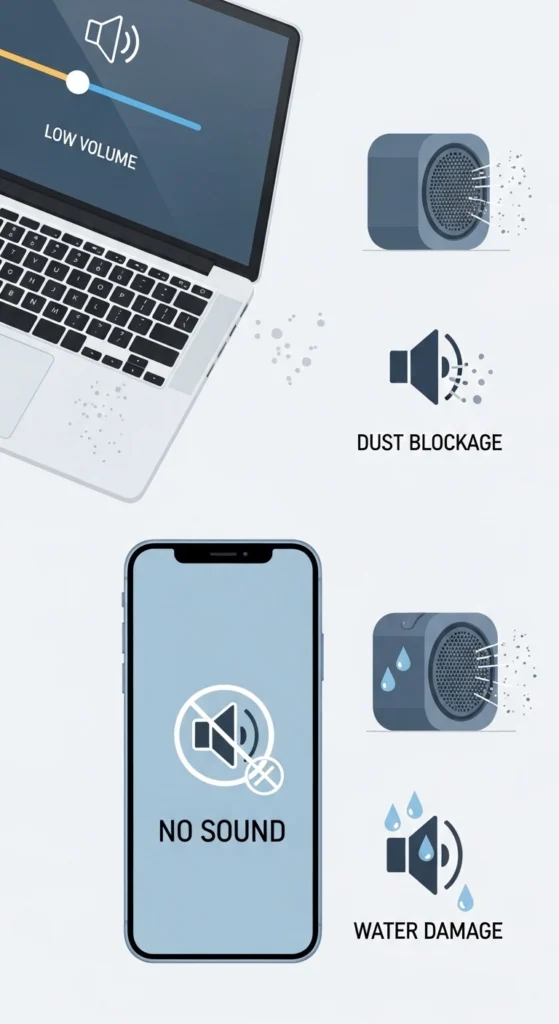
Many people face speaker problems like no sound, low volume, muffled sound, or even a completely broken speaker. These issues can happen because of dust, water damage, software bugs, or hardware problems, making it hard to enjoy calls, music, or videos.
Want a quick and easy way to fix speaker problems? This guide will help you. You’ll learn simple steps to solve common sound issues at home, plus a few advanced tips if needed. No matter the problem, you can bring your sound back to clear and loud in no time.
Common Speaker Problems You Can Fix
Welcome to your ultimate troubleshooting hub to fix my speaker sound, offering frequency tools and guides to restore your audio.
Many users search for “fix my speaker” or “my speaker fix” when they face simple but annoying speaker issues. These problems can happen on phones, laptops, and Bluetooth speakers.
Some of the most common problems include:
- Speaker is not working at all
- No sound during calls, videos, or music
- Low volume or weak sound
- Muffled or unclear audio
- Crackling or distorted sound while playing audio
- Water or dust getting inside the speaker
- Bluetooth speaker not connecting or pairing properly
- Sound only working on one side of the speaker
- Audio stopping or breaking during playback
The good news is that most of these problems are not serious. In many cases, they happen because of small issues like dirt, settings, or connection errors. With the right steps, you can easily fix the sound of the speaker at home without needing expensive repair.
Quick Fixes (Fix My Speaker in 60 Seconds)
Before trying advanced solutions, always start with these quick and simple fixes. Many sound issues are not serious and can be solved in less than a minute without any tools or technical knowledge.
Restart Your Device
A simple restart can fix small software bugs or temporary glitches that affect sound. When your phone or device runs for a long time, background apps may cause audio problems. Restarting clears memory and refreshes system functions, which often restores normal speaker sound.
Check Volume & Sound Settings
Sometimes the issue is very simple, like low or muted volume. Check all sound levels, including media, ringtone, alarm, and call volume. Also, make sure “Do Not Disturb” mode is off, as it can block sound notifications and make it feel like the speaker is not working.
Switch Audio Output
Your device may be sending sound to another output like Bluetooth headphones, wireless earbuds, or external speakers. This can make it seem like your speaker is not working. Turn off Bluetooth or manually select the phone speaker to restore normal sound.
Test with Another App
Sometimes the problem is not the speaker but the app itself. Try playing audio, music, or video in a different app. If sound works there, then the issue is limited to one application, and you may need to clear the cache or update that app.
Remove Case or Obstruction
Phone covers, dust, lint, or dirt can block speaker holes and reduce sound quality. Even a small blockage can make audio sound weak or muffled. Remove the case and gently clean the speaker area to improve volume and clarity instantly.
For those struggling to hear their media clearly, follow our step-by-step tutorial on how to increase my speaker volume across all operating systems.
Related Blogs
Step-by-Step Speaker Sound Fixing Methods
If quick fixes do not solve the issue, don’t worry. These step-by-step solutions can help you fix different types of speaker problems like dust blockage, water damage, low volume, bass issues, and no sound problems. Follow each method carefully to restore clear and loud audio.
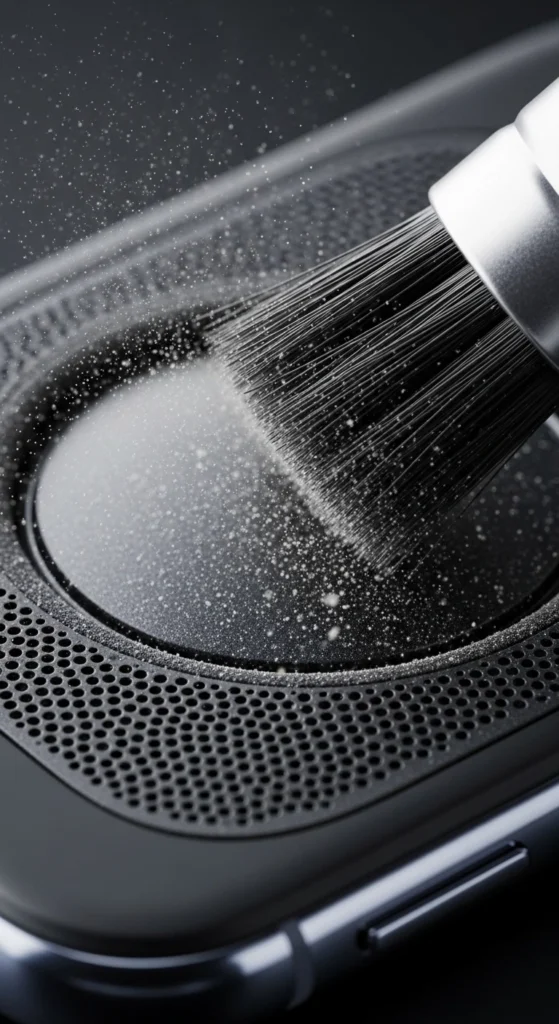
How to Clean Dust from Your Speaker (Improve Sound Clarity)
Dust is one of the biggest reasons for weak, muffled, or low sound. It slowly builds up inside the speaker grill and blocks sound from coming out clearly. This leads to muffled speaker sound, low volume issues, and poor audio quality during calls or media playback.
To clean your speaker safely and improve sound:
- Gently brush the speaker grill using a soft brush or a clean toothbrush
- Use compressed air to remove fine dust stuck inside small holes
- Clean regularly to avoid future speaker sound blockage issues
- Keep your device in a clean environment to reduce dust buildup
- Avoid using pins, needles, or sharp objects that can damage the speaker
Regular cleaning is one of the easiest ways to fix speaker sound clarity problems at home and restore normal volume without any repair cost.
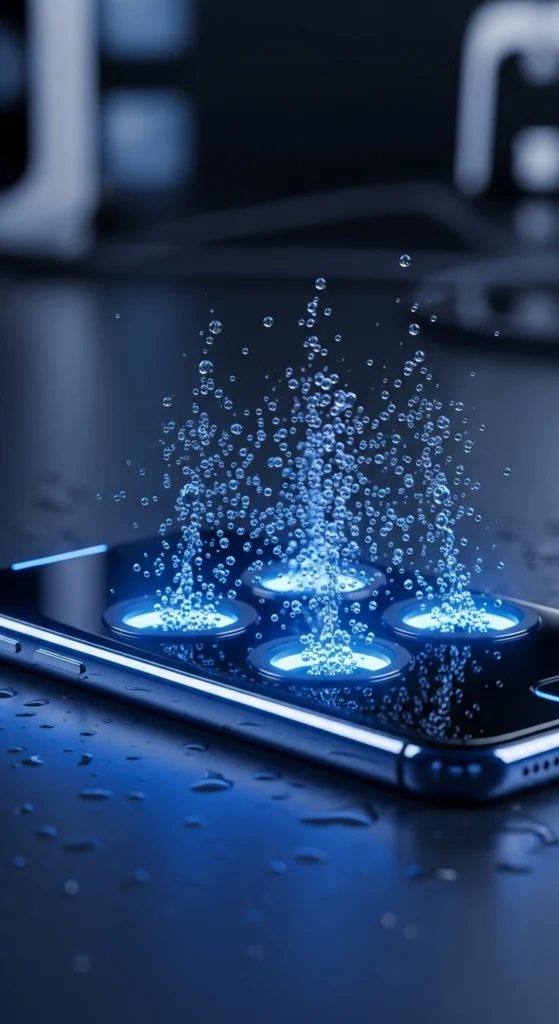
How to Remove Water from a Speaker Safely
Water or moisture inside the speaker can cause serious sound problems like distortion, muffled audio, or even complete sound failure. This often happens after rain, spills, or accidental drops in water, leading to water-damaged speaker issues.
To fix moisture safely:
- Use sound vibration or water-eject features to push water out
- Keep the device facing downward so water can drain naturally
- Repeat the vibration method a few times for better results
- Place the device in a dry, well-ventilated area to remove moisture
- Avoid charging the device until it is fully dry
These steps help fix most speaker water damage problems and restore normal sound without opening the device.
We also solve app and hardware-specific glitches, such as when your Spotify sound too low or if you run into the common laptop speakers sound muffled or low error.

How to Fix Low Speaker Volume Problems
Low volume is a very common issue that makes it hard to hear calls, music, or videos even when the speaker is working. This usually happens due to settings, blockage, or software limits causing low speaker volume problems.
Try these easy solutions:
- Increase media, ringtone, and call volume to maximum level
- Turn off “Do Not Disturb” or silent mode if it is active
- Disable any audio limits, equalizer restrictions, or sound enhancements
- Clean speaker openings to remove dust or blockage
- Restart your device if volume is still low
These steps can quickly help you fix low speaker volume issues and improve overall sound output.
How to Improve Weak Bass and Sound Quality
If your sound feels flat, dull, or lacks depth, the problem may be with bass settings or audio configuration. Weak bass is common and affects overall listening experience, especially for music and videos, causing poor speaker bass issues.
To improve bass and sound quality:
- Adjust equalizer settings in your device or music app
- Try different sound profiles like “Bass Boost” or “Music Mode”
- Use apps that support advanced sound customization
- Test different headphones or speakers to compare output
- Check if your device supports bass enhancement features
These methods help improve sound richness and fix weak bass speaker problems for a better audio experience.
How to Fix a Completely Silent Speaker
If your speaker is not making any sound at all, it could be due to software glitches, wrong settings, or hardware issues. This is one of the most serious no sound speaker problems users face.
Try these troubleshooting steps:
- Check and select the correct audio output (speaker mode)
- Restart your device to remove temporary system bugs
- Update system software to fix hidden audio issues
- Test the sound using headphones to check if the hardware is working
- Try safe mode to see if any app is blocking sound
These steps help you identify and fix most speaker issues without needing professional repair.
Regular cleaning is one of the easiest ways to fix speaker sound clarity problems at home and restore normal volume without any repair cost.
How to Fix Call Speaker and Ear Speaker Issues
Speaker problems affect voice clarity during calls and can make conversations difficult to hear. These issues often come from dust, software settings, or blockage in the ear speaker.
Cleaning the Ear Speaker for Better Call Sound
Dust in the speaker can reduce voice clarity and make calls sound low or unclear.
- Gently clean the ear speaker using a soft brush or dry cloth
- Do not press too hard to avoid internal damage
- Clean regularly to maintain clear call sound quality
- Keep your phone in a dust-free place when possible
Regular cleaning helps reduce call speaker dust issues and improves voice clarity.
Fixing Call Speaker Not Working Issues
If you cannot hear people during calls, or the sound is very low:
- Increase call volume during an active call
- Restart your device to fix temporary glitches
- Test with another calling app to check the issue
- Check if call forwarding or Bluetooth is interfering
These steps help solve the ” call speaker not working problems quickly.
Improving Ear Speaker Sound Quality
If voice sounds unclear, broken, or too low:
- Remove dirt or blockage from the top speaker area
- Avoid using water or liquid cleaners directly
- Keep the speaker area clean for better performance
- Update device software if sound issues continue
Proper maintenance helps fix ear speaker sound issues and improves overall call experience.
Fix My Speaker on Different Devices
Speaker problems can occur on any device, including phones, Android devices, laptops, and Bluetooth speakers. The good news is that most issues are simple and can be fixed at home without any technical skills.
Fix My Phone Speaker (No Sound or Low Volume Issues)
If your phone speaker is not working properly, the issue may be due to dust, software bugs, or incorrect settings.
Try these simple steps:
- Restart your phone to remove temporary glitches
- Clean the speaker grill to fix blocked speaker sound issues
- Check volume settings for media, ringtone, and calls
- Turn off “Do Not Disturb” or silent mode
- Update your phone software to fix hidden bugs
These steps can help you quickly fix phone speaker not working issues and restore normal sound.
Fix My Speaker on Android Devices (Sound Not Working Properly)
Android devices may face sound issues due to cache problems, app errors, or incorrect settings, causing Android speaker sound issues.
To fix the problem:
- Clear the cache of apps that use sound (music, video apps)
- Check sound and accessibility settings
- Restart your Android device to refresh the system
- Test the sound in different apps to find the issue
- Update your Android system if available
These methods help solve Android speaker not working problems and improve audio performance.
Laptop and PC speakers may stop working due to driver issues or incorrect output settings, causing computer speaker sound problems.
Try these solutions:
- Update or reinstall audio drivers
- Check if correct output device is selected
- Restart Windows audio services
- Unmute system and check volume mixer settings
- Plug and unplug headphones to reset audio output
These steps can help you fix PC speaker not working issues and restore clear sound on your device.
Fix Bluetooth Speaker (Connection and Sound Issues)
Bluetooth speakers often face pairing, connection, or sound delay issues, causing Bluetooth speaker not working problems.
To fix them:
- Turn off and reset the Bluetooth speaker
- Disconnect and reconnect Bluetooth on your device
- Remove old paired devices from settings
- Keep the speaker close to the device for a stable connection
- Update speaker firmware if available
These fixes help solve Bluetooth speaker connection issues and improve sound quality and stability.
How to Use a Speaker Cleaner Tool
If manual cleaning does not solve the problem, you can try a speaker cleaner tool. This is a simple and effective way to fix speaker sound issues caused by dust or water inside the speaker.
What is a Speaker Cleaner Tool
A speaker cleaner tool uses sound vibration technology to remove dust and water trapped inside your speaker. It helps improve sound quality without opening the device.
How to Open a Speaker Cleaner Tool
You can use a mobile app or online tool designed for speaker cleaning. Make sure you choose a trusted tool to avoid unwanted ads or fake features.
Process to Clean Your Speaker
- Open the speaker cleaner tool
- Place your phone facing downward
- Play the cleaning sound or vibration mode
- Let it run for 30–120 seconds
- Repeat 2–3 times if needed
Best Way to Get Better Results
For better cleaning results:
- Use the tool in a quiet environment
- Keep the speaker volume at maximum
- Repeat the process if the sound is still low
What Problems Can It Fix
This method can help solve:
- Low speaker volume
- Muffled or unclear sound
- Dust blockage
- Water inside speaker
When You Need Professional Repair (Final Solution for Speaker Problems)
When Basic Fixes Don’t Work Anymore
Sometimes simple troubleshooting and cleaning methods are not enough to restore sound. If the issue still continues, it may be a deeper hardware problem.
Signs of a Completely Dead Speaker
If your speaker produces no sound at all, even after restarting and adjusting settings, it usually indicates serious internal damage.
Severe Water or Physical Damage
Water exposure or physical impact can permanently damage speaker components, making professional repair necessary.
Persistent Sound Issues After Troubleshooting
If sound problems continue even after trying all fixes, updates, and cleaning methods, the issue may require expert diagnosis.
Random or Intermittent Sound Problems
If your speaker sound keeps cutting in and out without reason, it often points to internal hardware faults or loose connections.
What Professional Repair Technicians Do
Experts open the device, inspect internal parts, and repair or replace damaged components safely to fully restore speaker performance.
Find Speaker Repair Services Near You
If you are searching for “fix my speaker near me,” it is important to choose a trusted and reliable repair service. Sometimes, DIY fixes are not enough, especially when the problem is related to internal damage or hardware failure.
Professional technicians can quickly identify the real issue and provide the right solution. They have the tools and experience to handle different speaker sound problems, including no sound, low volume, and water damage.
Before choosing a repair shop:
- Check customer reviews and ratings
- Compare prices from different shops
- Ask about repair time and warranty
- Make sure they have experience in speaker repair services
A good repair center can help restore your device’s sound safely and quickly.
Speaker Repair Cost (What You Should Expect)
Speaker problems can be frustrating, especially when you don’t know the repair cost or what the real issue is. Understanding the price range helps you make the right decision before getting your device fixed.
Minor Speaker Repair Cost
Small issues are usually quick and affordable to fix. These include:
- Dust blockage inside the speaker
- Sound settings or volume issues
- Minor software glitches
- Basic cleaning and adjustment
Medium Speaker Repair Cost
Moderate problems require more technical work. These include:
- Low or distorted sound issues
- Partial speaker damage
- Audio balance or output problems
- Internal cleaning or small part fixes
Major Speaker Repair Cost
Serious hardware issues cost more to repair. These include:
- Complete speaker replacement
- Water-damaged components
- Internal circuit or hardware failure
- No sound even after troubleshooting
Tips Before Paying for Repair
Before you get your device repaired:
- Always ask for a cost estimate first
- Compare prices from different repair shops
- Check if your device is under warranty
- Avoid unnecessary extra charges
Tips to Prevent Speaker Problems (Avoid Future Issues)
Taking care of your device can help you avoid most speaker sound problems in the future. Simple habits can keep your speaker working properly for a long time.
Follow these easy tips:
Keep your device away from water and moisture
Use protective cases to reduce damage risk
Avoid using maximum volume for long periods
Do not insert sharp objects into speaker holes
Clean speaker openings regularly to prevent dust buildup
These simple steps can help you prevent speaker not working issues and maintain clear, loud sound for a long time.
Conclusion
Fixing your speaker doesn’t have to be complicated or expensive. Whether you need to fix my speaker sound, clean dust from speaker grills, remove water from speakers, or solve call speaker issues, most problems can be resolved easily at home with simple troubleshooting steps.
Start with quick fixes like cleaning, restarting your device, and checking settings. If the issue continues, move to advanced solutions such as resetting audio settings or checking for software updates. In most cases, these steps can restore clear and balanced sound.
If your speaker still isn’t working properly, don’t worry, professional repair services are always a safe and reliable option.
Frequently Asked Questions
How do I fix my speaker sound quickly?
Restart your device, check volume settings, remove Bluetooth connection, and clean the speaker grill. These quick steps fix most common sound issues.
Why is my phone speaker muffled?
Muffled sound is usually caused by dust, dirt, water inside the speaker, or a blocked speaker grill.
Does a speaker cleaner tool really work?
Yes, speaker cleaner tools use sound vibrations to push out dust and water, which can improve sound clarity in many cases.
Can I fix my speaker at home?
Yes, most minor issues like low volume, dust blockage, or software glitches can be fixed at home with simple troubleshooting.
Why is my speaker volume very low?
Low volume can happen due to sound settings, app issues, dust buildup, or accidental volume limits set in the device.
Why is my speaker not working at all?
This can happen due to software bugs, wrong audio output selection, or serious hardware damage.
When should I replace my speaker?
You should replace it if there is permanent hardware damage, no sound after troubleshooting, or repeated failure even after repair.
Can water damage a phone speaker permanently?
Yes, if water stays inside for too long, it can damage internal components and affect sound permanently if not treated quickly.