
Fix My Speaker Dust: How to Clean Phone Speaker and Restore Sound
Dust inside your speaker is one of the main reasons for low, muffled, or unclear sound. Over time, dust builds up in the speaker grill and blocks sound from coming out properly.
This can affect calls, music, and videos, making your device hard to use. Many users search for ways to fix their speaker dust quickly and safely without damaging the device.
In this guide, you will learn how to clean phone speaker dust, safe methods, useful tools, and prevention tips to restore clear sound easily.
Before using physical brushes, run the vibration frequency tool on the fix my speaker sound homepage to shake fine debris loose.
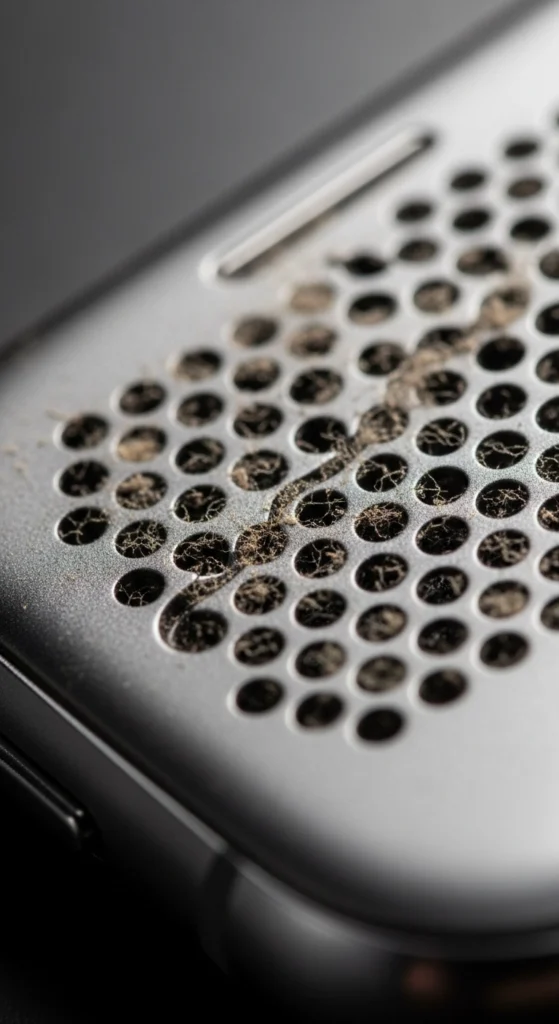
Why Dust Blocks Your Speaker Sound
Dust is very small but can cause big sound problems. It slowly enters the speaker holes and blocks airflow and vibration.
- Dust blocks speaker grill openings
- Reduces sound vibration strengthz
- Causes muffled speaker sound issues
- Lowers overall volume quality
- Can affect long-term speaker performance
When dust builds up over time, your speaker becomes weak and unclear. Even with a perfectly clean speaker, you might still need to learn how to increase my speaker volume via software to get the maximum decibel output.
Signs Your Speaker Has Dust Inside
You can easily identify speaker dust issues by noticing these common problems. Dust buildup inside the speaker grill often leads to weak or unclear sound and affects the overall speaker sound quality.
- Low or muffled sound (common speaker dust problem)
- Distorted or unclear audio
- Reduced volume even at full level (low speaker volume issue)
- Sound is not clear during calls (call speaker issue)
- Weak ear speaker performance (difficulty hearing voices)
- Sound feels blocked or “covered” from inside
Accumulation of particles is actually a leading physical cause for the laptop speakers sound muffled or low error.
How to Clean Speaker Dust at Home (Safe Methods)
Dust is one of the most common reasons your speaker sounds muffled or low. The good news is you do not need any special tools to fix this. These simple methods can help you clean speaker dust at home without damaging your device.
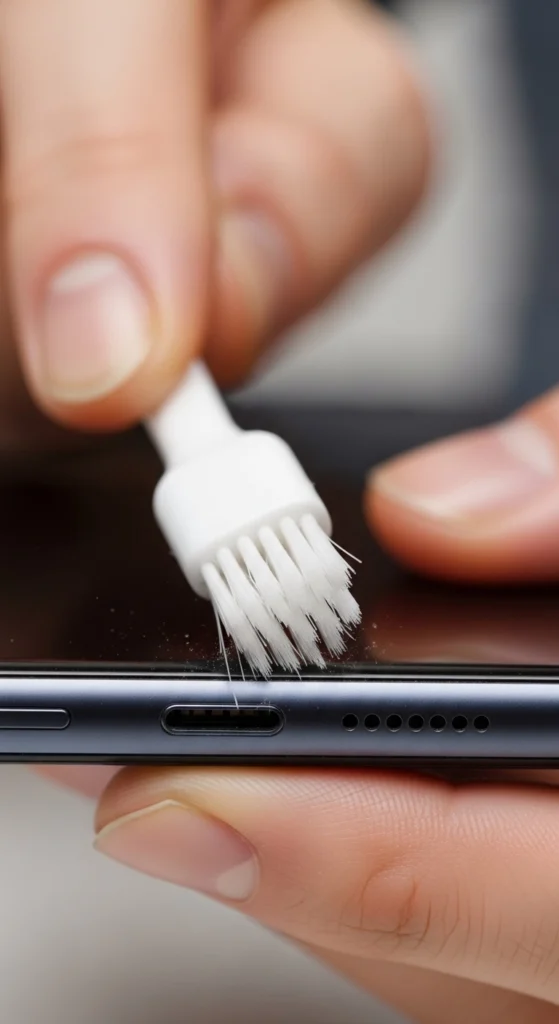
Use a Soft Brush or Toothbrush
Take a soft brush or old toothbrush and gently scrub the speaker grille in small circular motions. This loosens the dust stuck inside the tiny holes. Always brush lightly and never press too hard, as it can push dust deeper inside.
Blow Dust Out With Compressed Air
A can of compressed air works really well for removing fine dust particles. Hold it a few centimeters away and blow short bursts of air into the speaker grille. Never hold it too close or blow for too long, as too much pressure can damage the speaker from the inside.
Press Sticky Tape Over the Grille
Take a small piece of sticky tape and press it gently on the speaker grille, then peel it off slowly. The tape pulls out dust and lint sitting on the surface without pushing anything deeper inside. This is one of the quickest and safest methods to try at home.
Clean the Ear Speaker Too
Most people only clean the bottom speaker and forget the ear speaker at the top, which is used during phone calls. Dust builds up there, too, and causes a low or muffled call sound. Use the same soft brush or sticky tape to clean it separately for better call quality.
Always Be Gentle When Cleaning
No matter which method you use, always remember that gentle cleaning is the most important rule. Never use pins, sharp objects, or wet wipes near the speaker grille. A light and careful cleaning every few weeks is enough to keep your speaker sounding clear and dust-free.
High-fidelity music will never sound right if your hardware is dirty, which can make your
How to Use the Speaker Cleaner Tool for Dust Removal
A speaker cleaner tool uses special sound vibrations to shake out dust stuck inside your speaker. It takes less than a minute, and you do not need any technical knowledge to use it.
Use a Sound Vibration Tool Like Fix My Speakers
Download a free speaker cleaner app like Fix My Speakers on your phone. It plays a special sound that creates strong vibrations to shake dust and debris loose from inside the speaker grille.
Play the Cleaning Sound for 30 to 60 Seconds
Press play and let the cleaning sound run for 30 to 60 seconds without stopping. This gives the vibrations enough time to loosen the dust particles stuck deep inside the speaker.
Keep Your Device Facing Downward
Always keep your device facing downward while the sound is playing. This helps gravity pull the loose dust out of the grille instead of letting it fall back inside.
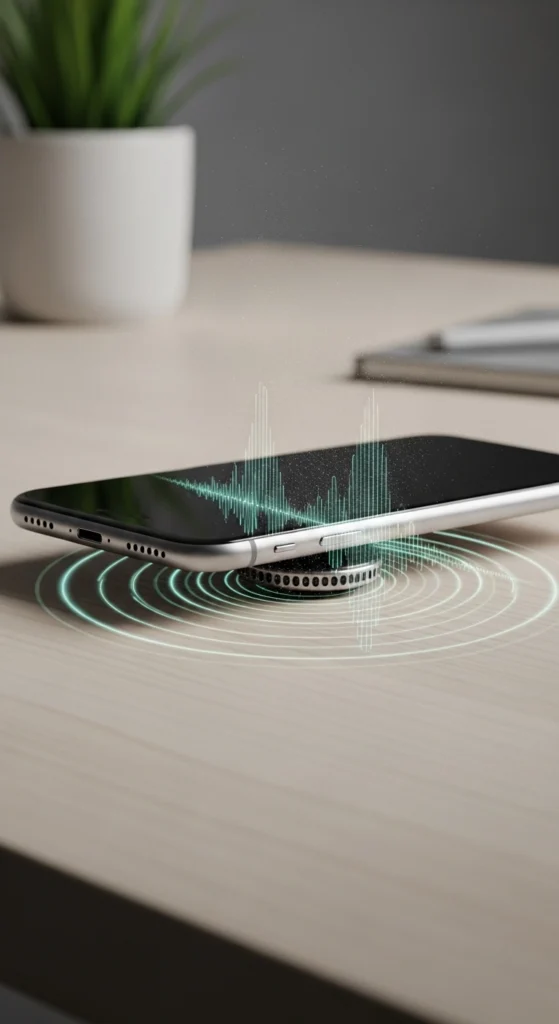
Repeat 2 to 3 Times for Best Results
Run the process 2 to 3 times with short breaks in between for better results. One round is sometimes not enough if the dust buildup is heavy inside the speaker.
Helps Remove Stuck Dust Deep Inside the Speaker
This method reaches places a brush or tape cannot and gives your speaker a much deeper clean from the inside. It is especially useful when your speaker sounds muffled and normal cleaning is not helping.
Mistakes to Avoid While Cleaning a Speaker
- Do not use pins or needles inside speaker holes
- Avoid liquid cleaners or water spray
- Do not blow too hard into the speaker
- Avoid over-cleaning, which can damage the mesh
- Never use sharp objects for speaker dust removal
How to Prevent Dust from Entering the Speaker
- Use a protective phone case
- Keep your phone in clean pockets or bags
- Avoid dusty or dirty environments
- Clean the speaker every few weeks
- Cover speaker when not in use (if possible)
Clean Ear Speaker vs Main Speaker (Difference Guide)
Feature | Ear Speaker | Main Speaker |
Usage | Used for calls | Used for music, videos, and media |
Cleaning Method | Soft cleaning with a brush or cloth | Brush + vibration tool cleaning |
Dust Buildup | Gets dirty faster due to face contact | Dust collects in speaker grill |
Sound Issue | Low or unclear call sound | Low volume or muffled sound |
Risk Level | Sensitive, needs gentle cleaning | Can handle deeper cleaning methods |
Common Problem | Ear speaker dust issue | Speaker grill blockage issue |
Result After Cleaning | Better call clarity | Improved volume and sound quality |
When to Get Professional Help
Sometimes, home cleaning methods are not enough, and you need to visit a professional repair technician. Here is when you should stop trying home fixes and get expert help.
Speaker Still Sounds Muffled After Cleaning
If your speaker is still sounding muffled or low even after trying all cleaning methods, then the problem is deeper than surface dust and needs professional attention.
Dust Is Stuck Too Deep Inside
If dust has built up deep inside the speaker over a long time, then brushes, tape, and cleaning apps cannot reach it. A technician has the proper tools to clean it safely from the inside.
No Improvement in Sound Quality
If you have tried everything and your sound quality has not improved at all then continuing home fixes will just waste your time. A professional can quickly find and fix the real problem.
Hardware Damage Is Suspected
If your speaker was dropped, exposed to water, or has been making strange noises for a long time, then there may be hardware damage involved that only a technician can properly inspect and repair.
Sound is completely not working
If your speaker is producing no sound at all, then this is a clear sign that something is seriously wrong inside. This is not a dust problem anymore, and professional repair is the only safe option. Cleaning the top earpiece grill is often the hidden fix for my speaker not working during calls on smartphones.
If dirt only clogs one specific channel, you will likely experience my speaker one side not working.
Conclusion
Dust in your speaker can make the sound low, unclear, or muffled. The good thing is that most speaker dust problems can be fixed easily with simple cleaning at home.
Clean your speaker regularly and avoid using sharp tools or liquids. If the sound is still not clear, you may need professional help to fix the speaker sound issue.
Frequently Asked Questions
How do I clean my phone speaker safely?
Use a soft brush, compressed air, or a speaker cleaner tool. Avoid sharp objects or liquids.
Can dust damage a speaker permanently?
Yes, if dust builds up for a long time, it can affect speaker performance and sound quality.
Does the speaker cleaner app really work?
Yes, it helps remove light dust using sound vibration and improves clarity.
How often should I clean my speaker?
Every 2 to 3 weeks is recommended for the best performance.
Why is my speaker sound muffled?
Most of the time, it is caused by dust blocking the speaker grill.

